ArcGIS Spatial Analyst is one of the most powerful and widely used extensions for ArcGIS Pro. It provides a comprehensive toolset to create, query, map, and analyze spatial data based on raster data (data in a grid of square cells). Instead of viewing the world only through individual point, line, and polygon features, Spatial Analyst lets you analyze continuous surfaces such as elevation, temperature, rainfall, or population density, opening up deeper spatial analysis capabilities.
Technical Function Groups and Practical Applications
The power of Spatial Analyst lies in hundreds of tools organized into logical function groups. Below are the main groups and their applications.
1. Surface Analysis
This toolset lets you model and analyze the characteristics of a terrain surface from a DEM (digital elevation model).
- Technical functions:
- Slope: Calculates the steepness (in degrees or percent) for each cell on the surface.
- Aspect: Determines the direction the surface slope faces (north, south, east, west…).
- Hillshade: Creates a simulated 3D shaded relief model from a virtual light source, highlighting the terrain.
- Viewshed: Identifies the areas that can be seen from one or more observation points.
- Cut/Fill: Compares two surfaces (for example, before and after construction) to calculate the volume of material to be excavated or filled.
- Practical applications:
- Urban planning and construction: Finding low-slope areas suitable for building. Calculating earthwork volumes for a project.
- Agriculture: Identifying south-facing slopes (in the Northern Hemisphere) for growing sun-loving crops.
- Telecommunications: Using viewshed analysis to determine the optimal locations for cell towers, ensuring the widest coverage.
- Military/Security: Identifying positions with good visibility for placing guard posts or surveillance cameras.
2. Hydrology Analysis
This toolset simulates the flow of water over a terrain surface, and is extremely useful in water resource management and disaster management.
- Technical functions:
- Fill: Removes small, unnatural sinks in the DEM to ensure continuous flow.
- Flow Direction: Determines the direction water will flow out of each cell.
- Flow Accumulation: Calculates the total number of upstream cells flowing into each cell, helping identify rivers and streams.
- Watershed: Delineates watershed areas (the land where all flow drains to a single point).
- Stream Order: Classifies streams in a hierarchy (for example, order 1, order 2…).
- Practical applications:
- Disaster management: Delineating areas at risk of flooding based on flow accumulation models.
- Water resource management: Determining river basin boundaries to support water resource planning and protection.
- Environment: Modeling the path of pollutants if they leak into the environment, and forecasting which downstream areas will be affected.
3. Distance Analysis
This toolset calculates the distance from each cell to a source feature, taking into account not only straight-line distance but also cost or barrier factors.
- Technical functions:
- Euclidean Distance: Calculates the straight-line distance from each cell to the nearest source feature.
- Cost Distance: Calculates weighted distance, in which each cell has a “cost” to cross (for example, crossing steep terrain costs more than flat terrain).
- Path Distance: An advanced form of Cost Distance that also accounts for factors such as surface cost and horizontal and vertical distance.
- Cost Path: Finds the route with the lowest total cost from a source point to a destination point.
- Practical applications:
- Planning and logistics: Finding the optimal route for building a new road or oil pipeline, avoiding areas with high construction costs (steep slopes, swamps).
- Ecology: Modeling wildlife movement corridors, finding the path animals are most likely to take between two habitats, avoiding barriers such as highways or residential areas.
- Emergency management: Identifying areas within a 10-minute travel time of a fire station.
4. Suitability Modeling
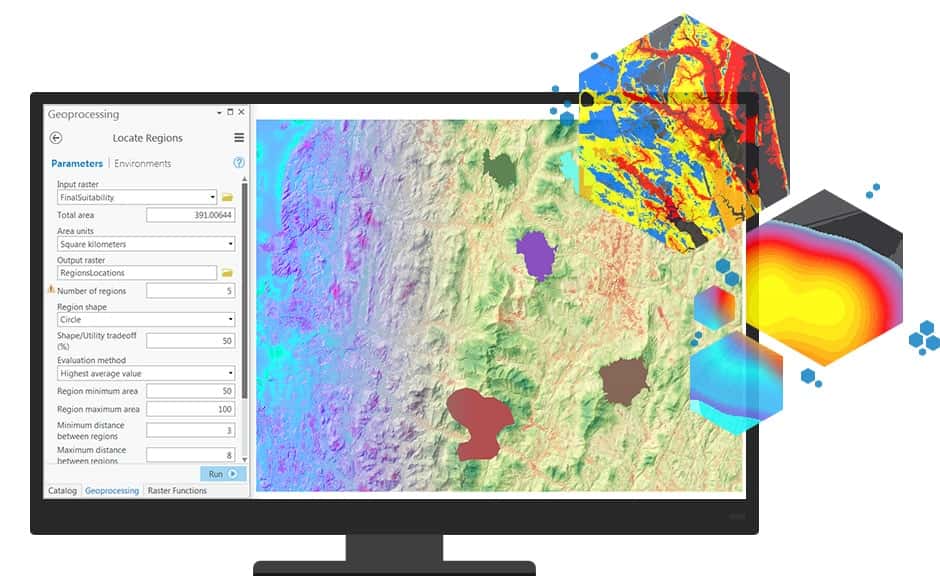
This is one of the most powerful applications of Spatial Analyst, letting you combine multiple raster layers to find the locations that best meet a set of criteria.
- Technical functions:
- Reclassify: Reassigns the values in a raster to a common scale (for example, from 1 to 10, where 10 is the most suitable).
- Weighted Overlay: Combines multiple reclassified raster layers. You can assign different weights to each input layer according to its importance to the problem.
- Weighted Sum: Similar to Weighted Overlay but more flexible in the calculation.
- Practical applications:
- Real estate: Finding the best parcel to develop a resort, based on criteria such as: close to the coast, low slope, south-facing, and far from industrial areas.
- Agriculture: Identifying the most suitable land for growing coffee, based on factors such as elevation, rainfall, soil type, and slope.
- Conservation: Delineating high-priority areas for establishing nature reserves, based on biodiversity density, proximity to areas affected by human activity, and ecosystem connectivity.
5. Other Functions
Beyond the main groups above, Spatial Analyst provides many other useful tools:
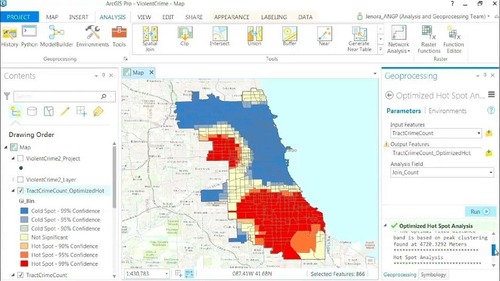
- Density Analysis: Creates heatmaps from point data, such as crime density or traffic accident density maps.
- Interpolation: Creates continuous surfaces from discrete measurement points, for example creating a temperature map from meteorological station data.
- Zonal Statistics: Calculates statistical values (mean, sum, max, min…) of a raster within areas defined by another data layer (for example, calculating the mean elevation for each district).
Conclusion
ArcGIS Spatial Analyst is an indispensable tool for any GIS analyst who wants to go deeper into analyzing phenomena that are continuous in space. It provides a scientific and powerful framework for modeling the real world, helping make more accurate and effective decisions.