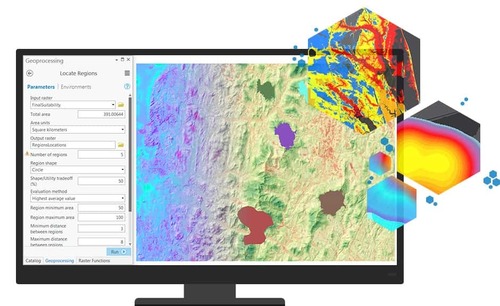
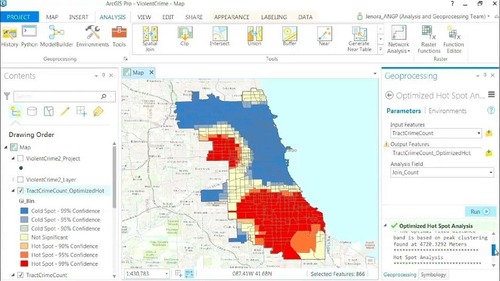
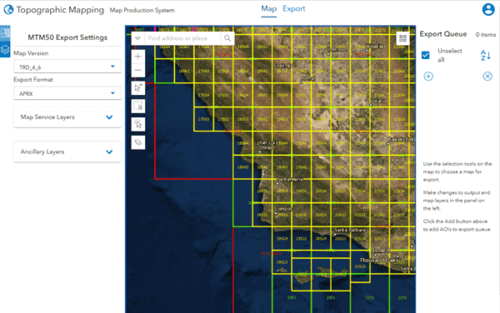
ArcGIS Pro is licensed at three main levels: Basic, Standard, and Advanced. It is important to understand that you always install the same ArcGIS Pro software, but the license level you activate “unlocks” different toolsets and functions. Each higher level includes all the functions of the lower levels.
1. ArcGIS Pro Basic: The Foundation for Mapping and Visualization
ArcGIS Pro Basic (formerly known as ArcView) is the foundation level, providing all the essential tools for creating professional map products, visualizing data, and performing basic spatial analysis.
- Key functions:
- Mapping & Layout: Full professional 2D and 3D map design capabilities, plus high-quality print layouts.
- Basic data management: Create and manage feature classes in file geodatabases.
- Simple data editing: Edit the geometry and attributes of features in file geodatabases (single-user editing).
- Basic spatial analysis: Access a core set of geoprocessing tools for analyses such as buffer, clip, and merge.
- Platform integration: Connect to, use, and share data with ArcGIS Online and ArcGIS Enterprise.
- Best suited for: Professionals who need to create maps, manage simple data, and perform basic spatial analysis. It is an ideal choice for visualizing and sharing information.
2. ArcGIS Pro Standard: Advanced Data Editing and Management
ArcGIS Pro Standard (formerly known as ArcEditor) includes all the functions of Basic, and unlocks a powerful additional set of tools focused on advanced data management and editing, especially in multi-user environments.
- Additional functions compared with Basic:
- Editing in an enterprise geodatabase: This is the biggest difference. Standard lets you edit data in a multi-user spatial database (such as SQL Server, Oracle, or PostgreSQL). Many people can edit the same dataset at the same time.
- Topology management: Provides tools to create and validate rules for spatial relationships between features (for example, land parcels must not overlap, and water pipes must connect to valve points).
- Utility Network: Enables working with and editing complex utility network models (electricity, water, telecommunications).
- Versioned editing: Supports versioned editing workflows, allowing different “versions” of the data to be created and edited without affecting the original data, with the changes merged back afterward.
- Best suited for: GIS professionals responsible for data integrity and quality, especially in large organizations where many people edit a central database.
3. ArcGIS Pro Advanced: Maximum Analysis and Data Processing Capability
ArcGIS Pro Advanced (formerly known as ArcInfo) is the highest level. It includes all the functions of Standard and unlocks the most advanced toolsets for spatial analysis, data processing, and format conversion.
- Additional functions compared with Standard:
- Advanced spatial analysis toolset: Unlocks many more advanced geoprocessing tools in toolboxes such as Analysis and Spatial Statistics.
- Advanced raster data processing toolset: Provides additional powerful tools for processing and analyzing raster data.
- Data conversion toolset: Unlocks tools for converting between complex data formats.
- More integrated functionality: Some features in extensions may also require the Advanced level to work fully.
- Best suited for: In-depth GIS analysts, data scientists, and users who need to build complex models, process large datasets, and perform spatial analysis at the highest level.
Comparison Table: Similarities and Differences
| Function | Basic | Standard | Advanced |
|---|---|---|---|
| 2D/3D mapping & layout | ✔️ | ✔️ | ✔️ |
| Core spatial analysis (Buffer, Clip, etc.) | ✔️ | ✔️ | ✔️ |
| Connect to ArcGIS Online / Enterprise | ✔️ | ✔️ | ✔️ |
| File geodatabase editing (single-user) | ✔️ | ✔️ | ✔️ |
| Enterprise geodatabase editing (multi-user) | ❌ | ✔️ | ✔️ |
| Topology management | ❌ | ✔️ | ✔️ |
| Working with Utility Network | ❌ | ✔️ | ✔️ |
| Advanced spatial analysis | ❌ | ❌ | ✔️ |
| Advanced raster/data processing | ❌ | ❌ | ✔️ |
Important note about extensions: Many of the most powerful functions of ArcGIS Pro, such as Spatial Analyst, 3D Analyst, Network Analyst, Image Analyst, and others, do not belong to the license levels above. They are extensions that are licensed separately. You can purchase and use an extension with any license level (Basic, Standard, or Advanced), as long as you hold a license for that extension.