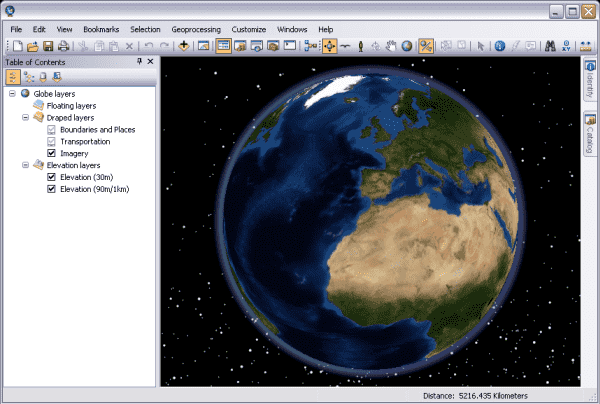
ArcGIS 3D Analyst is an essential extension for ArcGIS Pro that lets you visualize, manage and analyze GIS data in a true three-dimensional (3D) environment. If Spatial Analyst helps you analyze continuous surfaces, 3D Analyst brings those surfaces and other features into 3D space, letting you view the world from every angle, perform more complex spatial analysis and create vivid, easy-to-understand visual products.
At its core, 3D Analyst is the bridge between the flat world of 2D maps and a digital 3D model of the real world, opening up countless possibilities for analyzing and presenting data.
Technical Capabilities and Practical Applications
3D Analyst provides a rich set of tools for working with 3D data, from creating models to advanced analysis.
1. 3D Modeling and Visualization
This group of tools lets you build and display 3D models from 2D data or from specialized 3D data sources.
- Technical capabilities:
- Extrusion: Easily create 3D volumes (such as buildings and administrative boundaries) by “extending” 2D features (polygons) up to a given height based on an attribute field.
- 3D surface creation: Build detailed 3D terrain surfaces from many different data sources, including:
- TIN (Triangulated Irregular Network): Creates a Triangulated Irregular Network from elevation points and contour lines. This is an efficient way to represent a surface with high accuracy where the terrain is complex.
- Terrain Dataset: An advanced data structure for managing extremely large collections of elevation data, such as LiDAR data.
- Working with LiDAR data: Provides tools to visualize, manage and classify point clouds from LiDAR technology.
- Scene Layer Package (SLPK): Creates 3D data packages optimized for sharing and fast display on the web and in other applications.
- Practical applications:
- Urban planning: Build a 3D model of a city, allowing planners to review development options and assess the impact of new buildings on the overall landscape.
- Real estate and architecture: Create 3D models of real estate projects to present to clients, simulating the views from different apartments.
- Tourism and heritage: Recreate historical sites or natural landscapes in 3D to support conservation and virtual tourism.
2. 3D Spatial Analysis
This is the core capability of 3D Analyst, allowing you to perform analyses that a 2D environment cannot support.
- Technical capabilities:
- Viewshed Analysis: Identifies the areas visible from an observation point. The 3D version calculates more accurately by also taking obstacles such as buildings and trees into account.
- Line of Sight: Checks whether there are any obstructions between two points in 3D space.
- Dome/Skyline Analysis: Creates charts showing the skyline as blocked by terrain and structures, or creates a 3D surface describing the 360-degree view from a point.
- Solar Radiation Analysis: Calculates the amount of solar radiation falling on an area over a given period of time, taking into account the shadows cast by terrain and structures.
- 3D Measurement: Measures distances, areas and volumes of objects in 3D space.
- Practical applications:
- Telecommunications: Use Line of Sight to check whether any building blocks the signal between two antennas (for example, 5G).
- Renewable energy: Use the solar radiation analysis tool to find the rooftops or land plots that receive the most sunlight, optimal for installing solar panels.
- Urban planning: Use Viewshed to assess the impact of a new high-rise building on the views of surrounding residential areas.
- Security: Use Skyline to identify elevated locations that could pose a security threat to an area that needs to be protected.
3. 3D Data Management and Editing
This group of tools lets you create, edit and manage 3D features precisely.
- Technical capabilities:
- 3D Editing: Provides a dedicated editing environment that lets you move, rotate and resize objects in 3D space.
- Interpolate Shape: Creates 3D features (lines, polygons) by interpolating their elevation from a terrain surface.
- Feature To 3D By Attribute: Converts 2D features to 3D by taking the elevation value (Z-value) from an attribute field.
- Classify LAS: Provides tools to classify the points in LiDAR data into different classes such as ground, buildings and vegetation.
- Practical applications:
- Underground infrastructure management: Build and manage 3D models of water pipe systems and underground cables beneath a city.
- Geology: Create 3D models of geological layers and mineral deposits underground from exploration drilling data.
- Forest management: Use classified LiDAR data to separate tree canopy from ground, and from there calculate biomass, tree height and canopy cover density.
Conclusion
ArcGIS 3D Analyst is an indispensable tool for transforming GIS data from an abstract 2D form into a vivid, information-rich 3D digital model. It not only improves visualization but also opens up a range of powerful spatial analysis methods, helping users gain a deeper understanding of the world around them and make better planning, design and management decisions.